
Boeing Programs
Mentorship & foundational training
-
IAM/Boeing Joint Programs
IAM/Boeing Joint Programs offers professional development designed to accelerate IAM Boeing employees’ careers through courses that expand and explore their skill sets and turn lights green*.
*Only some IAM/Boeing Joint Programs courses are greenlight eligible, and not all greenlight eligible courses are applicable to all employees. To find out which greenlight courses are relevant to you, contact a Boeing Career Advisor.
-
Mentorship
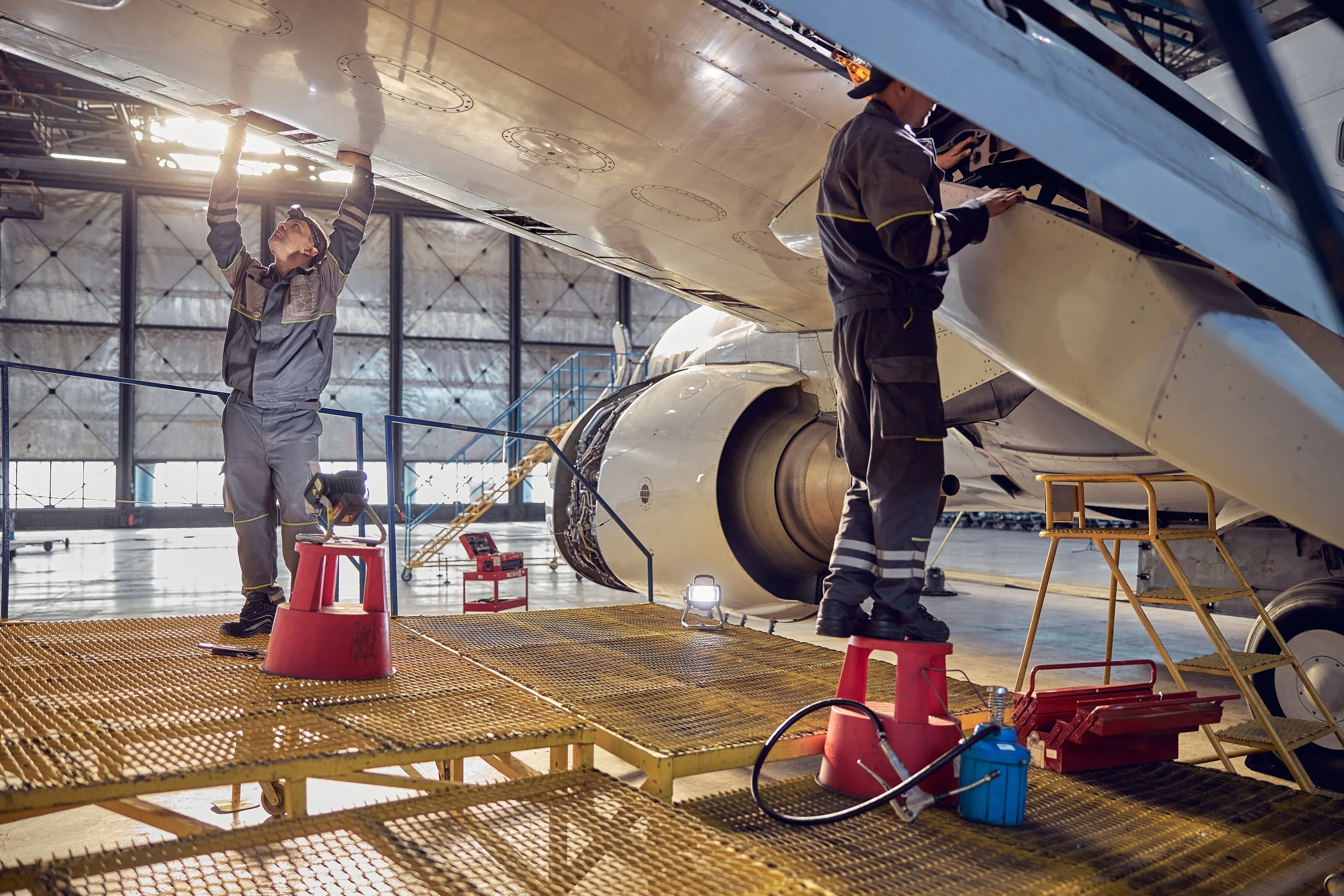
In collaboration with IAM District 751, this program invites retired Boeing machinists to mentor current aerospace workers. This program ensures that retirees’ invaluable insight and experience continues on, and assists the next generation in achieving the highest level of skill.
-
BPET
The Boeing Pre-Employment Training Program (BPET) accelerates candidates’ job placement at Boeing. Students who successfully complete the program can skip the interview process when applying to specific manufacturing roles at Boeing, allowing them to be hired sooner than other candidates.
IAM/Boeing Joint Programs
GD&T Basic Course
The Geometric Dimensioning & Tolerancing (GD&T) Fundamentals Course is an introduction to the principles, symbols, and application of GD&T used in engineering drawings throughout aerospace manufacturing and mechanical industries. Students will learn how to interpret GD&T callouts, analyze feature control frames, identify datums, and apply geometric tolerances to ensure manufacturing accuracy and quality.
Precision Measuring Tools
Learn the proper use and care of shop measuring tools including micrometers, dial calipers, height gauges, steel rules, inspection techniques, and recording measurements.
Manual Lathe
Students will learn the fundamental operation of a manual engine lathe, including machine setup, safe work practices, tool installation, and turning operation such as facing and threading. This course also includes a hands-on lathe project and is required before taking CNC Lathe.
Manual Lathe: Challenge Course
This course is for experience individuals who would like to test out of the Basic Lathe Course. Applicants must submit a resume and complete a written and hands-on assessment to demonstrate their proficiency in lathe operation, safety, and measurement.
CNC Lathe
This course builds on manual lathe knowledge and introduces students to CNC lathe operation. Topics include basic G-code, M-code, machine setup, tool offsets, and part programming using FANUC-style controls. Students will complete hands-on projects to simulate real-world production.
Manual Milling
This hands-on course is an introduction to manual vertical milling machines. Topics include mill setup, proper tooling, part layout, and basic cutting operations. Students will complete a project demonstrating basic machining and measurement skills.
Manual Milling: Challenge Course
Experienced with manual milling machines? Apply to challenge out of the Basic Mill Course. Applicants must submit a resume and demonstrate setup, tool selection, and basic milling techniques through an assessment.
CNC Milling
Designed for those who have completed Basic Mill, this course teaches the principles of CNC mill operation. Topics include G-code programming, CAM software basics, machine setup, tool changes, and measurement validation. Hands-on projects simulate real CNC machining tasks.
Basic MIG Welding
This entry-level course covers the principles of welding safety, metal prep, and basic welding techniques. Students will practice basic welds and joints, use shop safety practices, and complete a welding project under instructor guidance.
Advanced Welding: TIG
This course introduces students to the fundamentals of Tungsten Inert Gas (TIG) welding, including welding safety, equipment setup, metal preparation, and basic TIG welding techniques
Virtual Paint
This course uses AkzoNobel’s VR painting simulator to teach surface prep, spray gun technique, stroke control, and pattern consistency in a fully virtual environment. It is a safe and effective way to prepare for hands-on aerospace coatings training.
3D Printing
This 8-hour course is an introduction to desktop 3D printing fundamentals. Instruction focuses on safe assembly, basic calibration, slicing software, and the first successful print.
Forklift Safety & Certification
This course provides essential forklift safety training and operational basics needed to operate a forklift safely. Forklift operator certificate earned upon course completion.
Robotics Fundamentals & Operations
This course provides foundational through intermediate training in collaborative and industrial robotics. Participants will identify major robotic system components, safely power and operate a robot, manually control robot motion, apply essential safety concepts, and execute basic pick‑and‑place tasks. You will also create and modify robot programs, define and manage coordinate systems, integrate end‑of‑arm tooling and I/O, and apply logic, sequencing, and troubleshooting methods.
Advanced Robotics: Programming
This advanced course focuses on programming collaborative and industrial robots used in modern manufacturing environments. Participants will create and modify robot programs, develop motion paths, manage coordinate systems and tool frames, integrate tooling and I/O devices, apply logic and sequencing, and troubleshoot robotic applications. Through hands-on programming exercises, students will build, test, and optimize automated processes while improving reliability, repeatability, and production efficiency.
Computer-Aided Design (CAD)/ Advanced 3D Printing
This three-day course is an introduction to computer-aided design using Fusion 360. You'll learn to navigate the software, create 2D sketches, turn them into 3D models, and use the core modeling tools that make up most CAD workflows. By the end of the class, you'll apply those skills to make a real work project and will be creating it on a 3D printer. You'll get to take the project home with you at the end of the class. This will give you the skill and confidence to make and create your own designs on your own in the future.
Microsoft Excel
This course provides essential training in Microsoft Excel, focusing on the fundamental skills needed to create, edit, and organize spreadsheets. Participants will learn how to enter data, use basic formulas, format worksheets, and navigate Excel tools to build a strong foundation for everyday data tasks.
Microsoft PowerPoint
This course provides essential training in Microsoft PowerPoint, focusing on the fundamental skills needed to create clear, engaging, and professional presentations. Participants will learn how to build slides, apply themes, insert images and graphics, and use basic tools to deliver effective presentations with confidence.
Microsoft Word
This course provides essential training in Microsoft Word, focusing on the fundamental skills needed to create, format, edit, and save professional documents. Participants will learn core functions such as text formatting, page layout, inserting images, and using basic tools to produce clean, well‑structured documents.
Microsoft Outlook
This course provides essential training in Microsoft Outlook, focusing on the fundamental skills needed to manage email, calendars, contacts, and tasks effectively. Participants will learn how to compose and organize messages, schedule meetings, set reminders, manage inbox tools, and navigate Outlook features to improve daily communication and productivity.
Microsoft Copilot
This course provides essential training in Microsoft Copilot, focusing on the fundamental skills needed to use AI‑powered assistance across Microsoft 365 applications. Participants will learn how to generate content, summarize emails and documents, analyze data, create presentations, draft messages, and use natural‑language prompts to streamline daily workflows and improve productivity.
Microsoft Windows Basics
This course provides essential training in the basic functions of the Windows operating system. Participants will learn how to navigate the desktop, manage files and folders, adjust system settings, and perform everyday computer tasks with confidence.
All IAM/Boeing Joint Programs courses are designed to expand knowledge, skills, and interests for IAM 751 members who are current Boeing employees. Some courses may be eligible for greenlights. For more information about which courses turn on greenlights, please meet with a Boeing Career Advisor.
Scroll through our course catalog for the full selection of available courses.
If you have any questions about our available courses or the enrollment process for Boeing employees/IAM 751 members, please contact Kiersten Dahlen at kiersten.dahlen@machinistsinstitute.org
Boeing Mentorship
your legacy lives on
You can ensure the success of future workers following in your footsteps. Administered by the Machinists Institute, the training arm of IAM District 751, the mentoring program now offers retired members a chance to return to work part-time or full-time on second shift in either Renton or Everett. With your expertise, new members can launch their careers and continue the vital work that you started.
guide the next generation of aerospace workers
Questions?
For more information about becoming a Boeing Mentor, please contact:
Everett (North) — Joe Scarpete at joe.scarpete@machinistsinstitute.org
Renton (South) — Bernard (Bernie) Hardman at Bernard.Hardman@machinistsinstitute.org
For general inquiries, email us at info@machinistsinstitute.org